
VizionSpace AI Office Assistant
Every call answered. Every lead captured.
Live demo · Loading
Flow builder
A simple path from incoming call to the right next step.
Drag in the actions you need, connect them in order, and preview the experience before publishing. The assistant follows the flow while the conversation stays natural.
Build your first flowTrigger
Incoming call
Every inbound call starts here.
AI assistant
ActiveUnderstand the request
Talk naturally, collect details, and choose the right path.
Appointment request
Book appointment
Reserve the right time in Google Calendar.
Needs a person
Transfer call
Send the caller to the right team member.
Follow-up needed
Notify the team
Deliver the details by app or email.
Illustrative call example
38 secondsA caller asks. The next step is already organized.
Caller
“I have a kitchen faucet that has been leaking and would like to get it repaired.”
AI Office Assistant
“I can help with that. May I get your name, callback number, and preferred time?”
Call outcome
New lead captured
- Caller
- Sarah Mitchell
- Request
- Kitchen faucet repair
- Preferred time
- Tomorrow morning
- Next step
- Estimate follow-up
Summary ready for the team
The approved details are structured for review, follow-up, and configured delivery.
Integrations
Connect qualified calls to the tools already in use.
Workiz, Salesforce, and Google Calendar connections are available today. Additional workflows are scoped before launch so the handoff matches the way your team actually works.
 Available
 Available
 Google CalendarAvailable
Need another system?
We verify the workflow before promising the connection.
Mobile command center
Now on Google PlayRun the front office from anywhere.
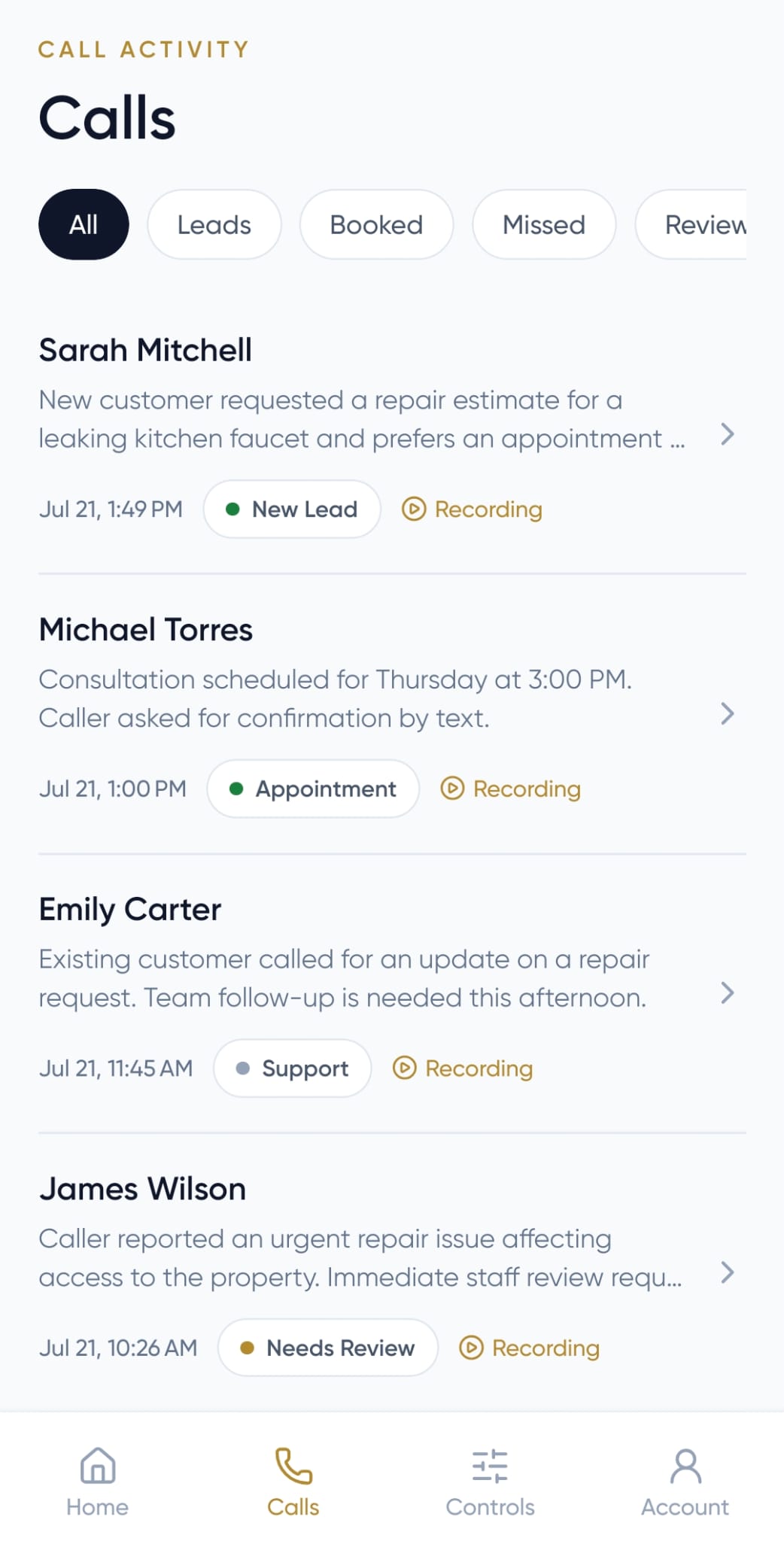
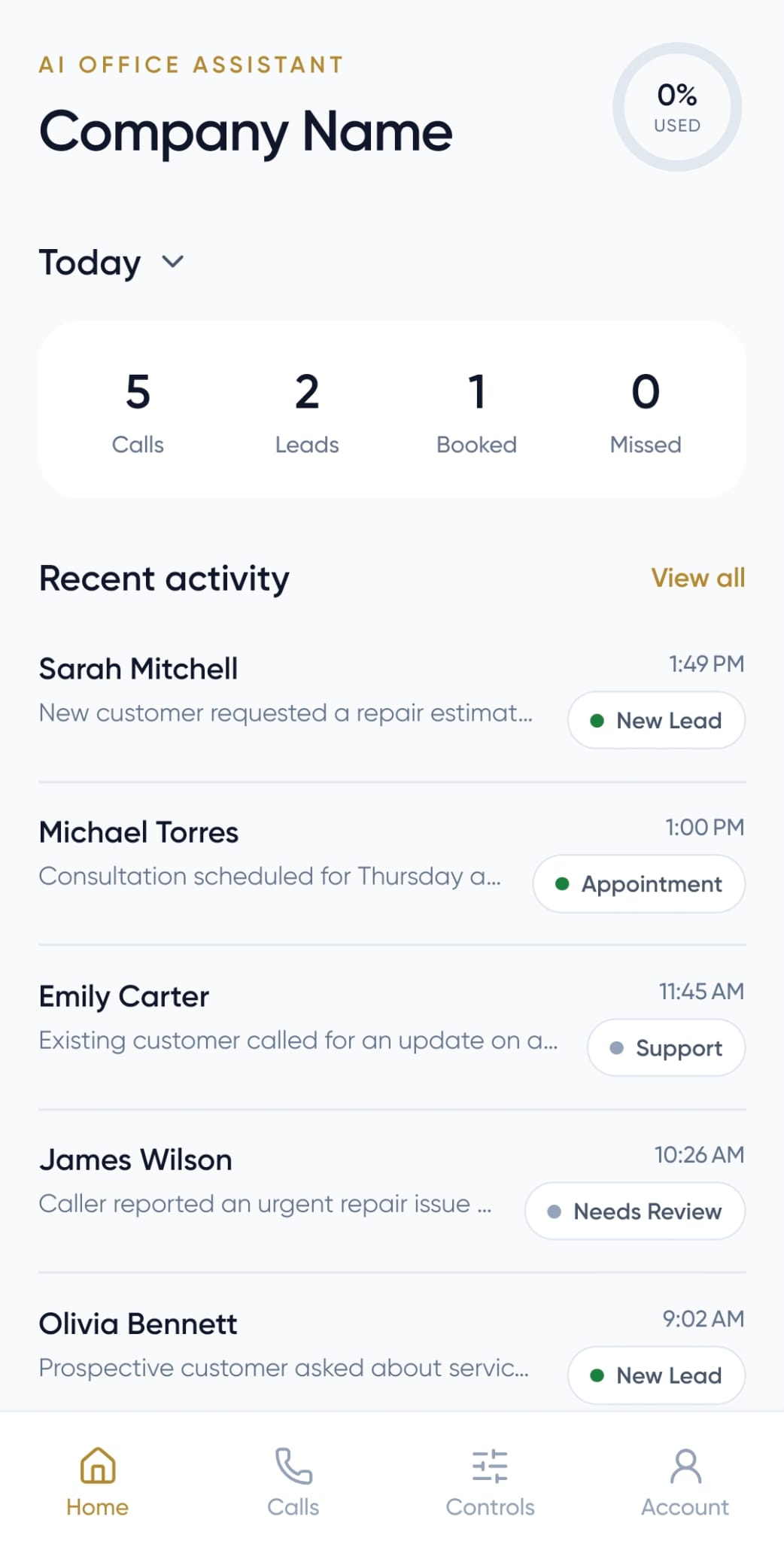
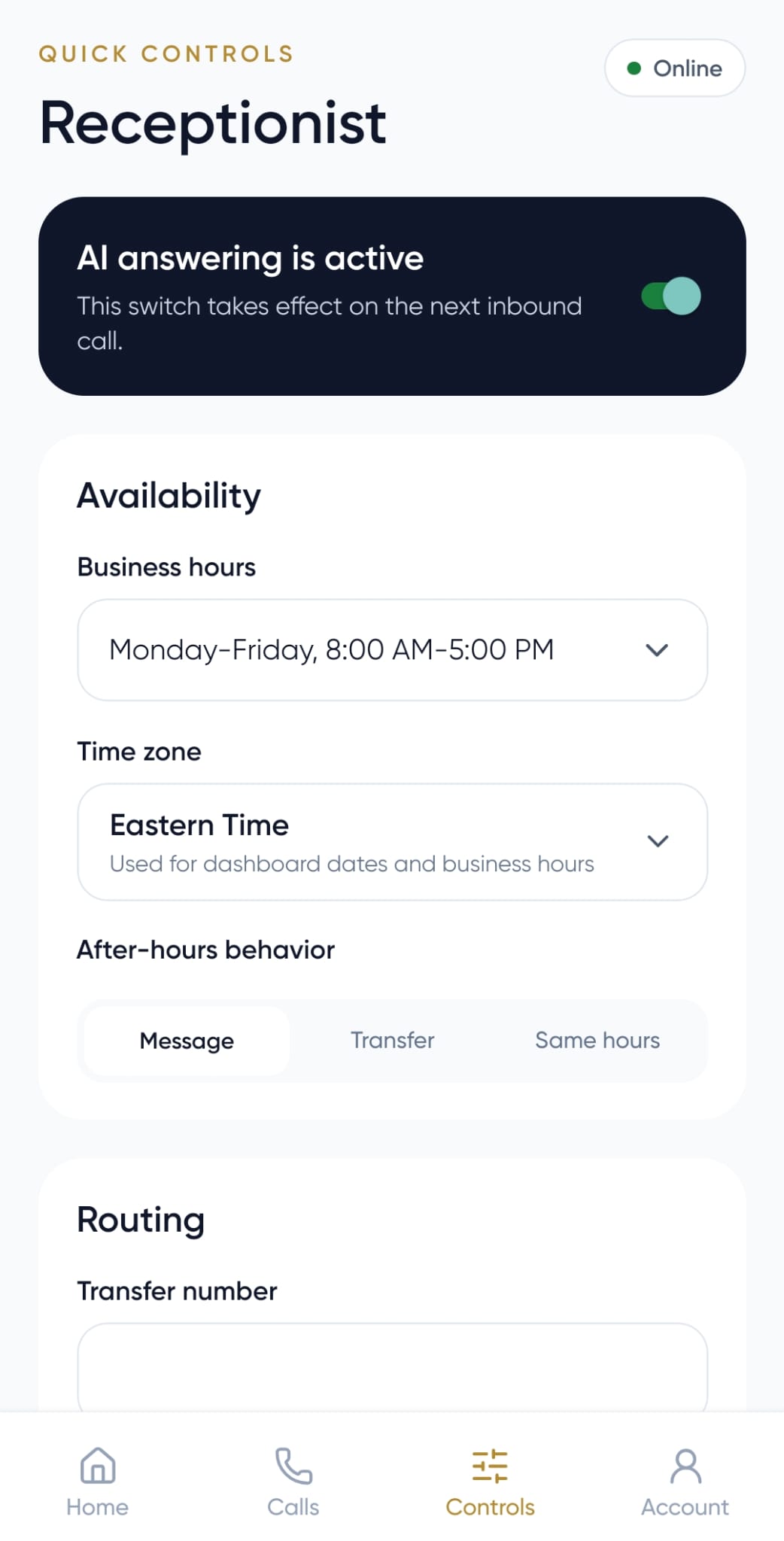
The AI Office Assistant mobile app keeps every call, lead, recording, and next step close—whether you are at your desk or out running the business.
- 01Review every call and captured lead
- 02Listen to recordings and read summaries
- 03Manage routing, availability, and alerts
Available now for Android

Get the iPhone release email
Pricing
Coverage that scales with the calls you answer.
Every plan includes a guided self-setup and one receptionist workspace. Assisted onboarding, number porting, and managed integrations are quoted separately.
Starter
For solo and low-volume businesses.
- Included
- 250 min/month
- Overage
- $0.35/minute
- One receptionist
- One local number
- Basic call Flow
- Lead intake
- Email summaries
Growth
RecommendedFor active service businesses.
- Included
- 1,000 min/month
- Overage
- $0.30/minute
- Everything in Starter
- Advanced routing and execution history
- Live transfer rules
- Calendar actions
- Expanded knowledge
Pro
For higher-volume and multi-location operations.
- Included
- 2,000 min/month
- Overage
- $0.25/minute
- Everything in Growth
- Port assistance
- Priority support
- Managed integration requests
Need a custom rollout?
Multi-workspace deployments, compliance review, custom integrations, and managed implementation are scoped around your workflow and usage.
Before you go live
Clear controls for the calls that need extra care.
Yes. You can either forward calls from your current number to your new AI number, or request to transfer your existing number before go-live. If you choose a transfer, we’ll review your carrier details, authorization, and timing so calls keep routing during the port.
Yes. You can define transfer and fallback destinations. If a transfer is unavailable, the call follows the fallback route you configured.
Yes. It can collect approved intake details and preferred appointment times. Direct booking depends on the workflow and integration configured for your business.
Calls follow the fallback route you configure, such as an employee, alternate number, or voicemail, so callers are not left without a next step.
Yes. Recording can be disabled. When it is enabled, the call flow can include a caller notice; your business remains responsible for following the recording and consent laws that apply to it.
Configuration and call records are kept in your authenticated business workspace. Provider handling and retention are governed by the VizionSpace Privacy Policy and the services used for your setup.
Plans include monthly AI conversation minutes with transparent overage rates. The free trial lasts 14 days or 20 AI conversation minutes, whichever comes first, and requires a card.
Ready when you are
Put your AI Office Assistant on the next call.
14 days or 20 AI conversation minutes, whichever comes first. Card required.