
AI Business Automation
How to set up an AI workspace for a service business
A practical AI workspace should organize business context, repeated tasks, prompts, and review rules before automation gets added.
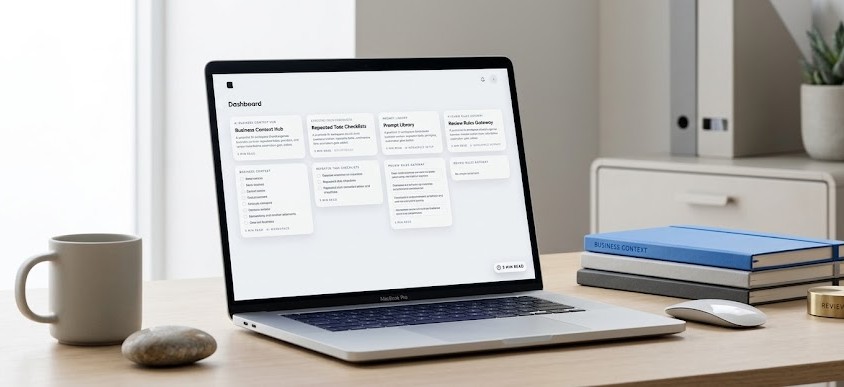
Start with business context
A useful AI workspace starts with the information a good operator would need before touching the work. For a service business, that means the company profile, core services, service area, pricing logic, sales process, client types, offer language, tools, constraints, and the standards used to judge good output. Without that context, AI becomes a generic writing assistant that guesses. With it, the workspace can support real tasks such as drafting follow-ups, summarizing calls, preparing reports, writing service-page copy, researching competitors, or organizing lead details. The goal is not to dump every document into a tool. The goal is to make the repeatable parts of the business easy for the system to reference and easy for the team to update. This also gives every future automation a cleaner foundation because the system has a source of truth instead of relying on scattered prompts and memory.
- Company and offer profile
- Service and audience notes
- Voice and review standards
- Tool and workflow constraints
Turn repeated tasks into lanes
The fastest way to make AI practical is to stop treating every prompt as a one-off request. Group the work into lanes that match how the business already operates. A home service company may need lanes for lead intake, estimate follow-up, review requests, local SEO content, call summaries, and monthly reporting. A professional service firm may need lanes for research, proposal prep, client updates, documentation, and sales enablement. Each lane should have a clear job, expected input, preferred output format, and review rule. This makes the workspace easier to train because the team knows where a task belongs and what quality should look like before it is delivered to a customer, prospect, or internal stakeholder. It also makes adoption easier for the team because the workspace mirrors the business instead of forcing everyone into a new abstract system.
Build reusable prompts around decisions
Good prompts are not magic phrases. They are reusable decision paths. A prompt for a lead follow-up should know what counts as a qualified inquiry, which details are missing, how quickly the team should respond, and what tone fits the brand. A prompt for a blog outline should know the related service page, buyer intent, internal-link target, and what the reader should understand by the end. A prompt for reporting should separate useful action from noise. When prompts are built around decisions, they become part of the operating system instead of another document people forget to use. The test is simple: can a team member run the prompt with a real example and get output that is close enough to review, not rewrite from scratch?
- Input needed
- Output format
- Decision rule
- Review checklist
Keep human review in the process
AI workspaces should make execution faster, but they should not remove accountability. A service business still needs human review for pricing, claims, client communication, legal or compliance-sensitive topics, and anything that can affect trust. The review loop should be documented inside the workspace: what can be used as a first draft, what must be checked against source material, what needs owner approval, and what should never be automated. This protects quality while still giving the team leverage. The strongest setup is practical: AI does the first pass, the team checks the judgment, and the workspace is updated when a better rule or example appears. Over time, the review notes become training material that improves future outputs and reduces repeated corrections.
Start small, then connect automation
The right first version is usually simple. Build the context library, create the first few task lanes, test them against real work, and improve the prompts before connecting outside automations. Once the workspace is reliable, automation can route inputs into the right lane, create drafts, summarize records, or prepare next steps for review. This order matters. If the workspace is weak, automation only moves bad output faster. If the workspace is structured, automation can support SEO, paid search, reporting, follow-up, and operations without creating another messy system. The best early win is usually one repeated task that saves time every week and teaches the team how the workspace should be maintained.
Related Service