
Websites & Funnels
Lead intake forms should qualify, route, and support follow-up
Good forms do more than collect contact info. They create context for sales, tracking, routing, and reporting.
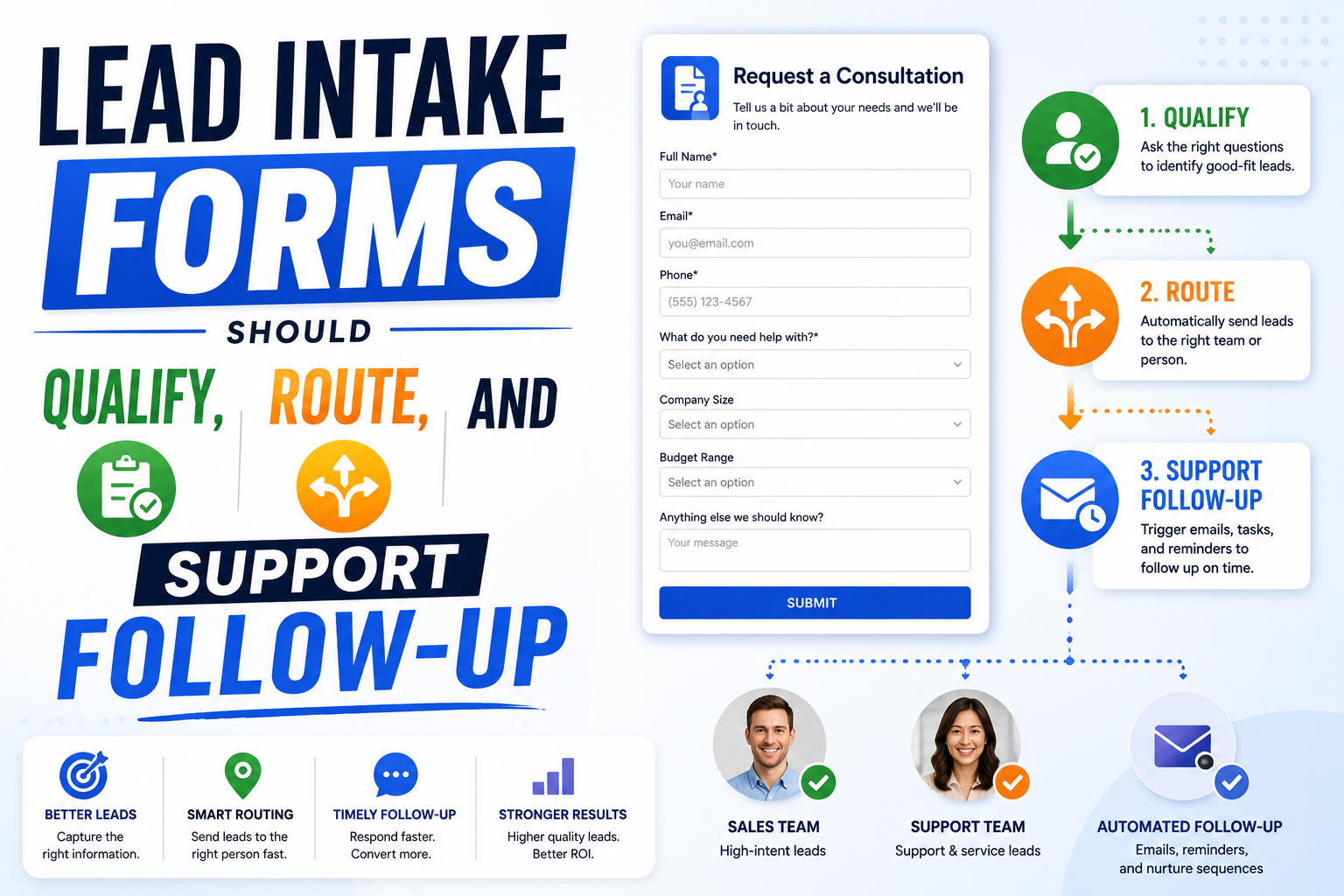
Ask for decision-useful context
A good lead form should help the business make a better next decision. Name, email, and phone number are not enough when the team needs to qualify fit, route the inquiry, prepare a useful response, or understand marketing performance. The form should ask for context that changes what happens next. For a service business, that may include the service needed, website URL, location, timeline, budget range, urgency, current tools, or a short description of the problem. The key is balance. Ask for enough to support follow-up, but not so much that qualified visitors avoid submitting. The form should feel like the beginning of a useful conversation, not an interrogation.
- Service need
- Timeline
- Budget or scope
- Website or account URL
- Problem summary
Preserve source and service data
Lead forms should preserve the context that brought the visitor to the page. Source, campaign, landing page, selected service, and form location can help the business understand what is producing useful inquiries. This is especially important when SEO, Google Ads, referrals, and direct traffic all send users into similar forms. Without source and service data, reporting becomes guesswork and follow-up becomes generic. The form does not need to show every tracking field to the user, but the submission should carry enough context for sales and reporting to learn from it. This is what turns a form submission into useful business data instead of just another email notification.
Route leads by what matters
Routing should reflect how the business operates. A high-intent audit request may need a different follow-up path from a general contact message. A Google Ads inquiry may go to a different owner than an AI workspace request. A large project may need founder review, while a simple question may only need a quick response. The form should support that logic by collecting the fields that matter and passing them into the right inbox, CRM, task list, or notification flow. When routing is planned before the form is built, the business avoids manual sorting and missed opportunities after submissions arrive.
Plan the thank-you flow
The thank-you flow is part of the conversion path. After someone submits a form, the page should confirm what happened, set expectations, and guide the visitor to the next useful step. That might be a calendar link, a short explanation of response time, a relevant service page, or a note about what information to prepare. The thank-you page or state also helps tracking because it can separate successful submissions from form starts, button clicks, or validation errors. This improves both user experience and marketing measurement. It also reduces confusion for the lead because they know what will happen next and when to expect a response.
Make follow-up easier for the team
The best forms make the next conversation better. A submission should give the team enough context to respond with relevance, not a generic "how can we help" message. If the form captures the service, goal, urgency, and source, the follow-up can start closer to the buyer problem. This helps lead quality, sales speed, and reporting. It also connects web design to business process automation: the form collects the right data, routing sends it to the right place, and follow-up becomes easier to repeat. That is how a website form becomes part of the operating system instead of a dead-end lead capture element.
Review form quality regularly
Forms should be improved based on real submissions. If leads are weak, unreachable, or missing key details, the form may need better fields or clearer page copy before it. If strong prospects abandon the form, it may be too heavy or poorly timed. Review submissions by source, page, service, and outcome. That feedback loop keeps the intake system useful as the business adds services, campaigns, and content. Intake form performance should be reviewed alongside SEO, ads, and CRM notes because the form sits at the point where traffic becomes an actual business conversation. This gives the team a practical way to improve both conversion rate and lead quality without guessing. It also creates better feedback for future page, campaign, and automation decisions.
Related Service