
Notifications & messaging
Text messaging and SMS notifications
Understand how eligible workspace members enable operational text alerts, what the messages contain, and why client texting uses a separate approval path.
Keep system notifications separate from client texting
VizionSpace system notifications alert eligible AI Receptionist members about workspace activity. These messages come from the VizionSpace system number and can include missed-call notices, call-summary availability, appointment activity, and important service updates.
Client texting is different. Messages sent by a business to its callers or clients use the workspace business number and require the registration appropriate to that number and business. Enabling system notifications does not activate client texting.
Enable text notifications from the authenticated workspace
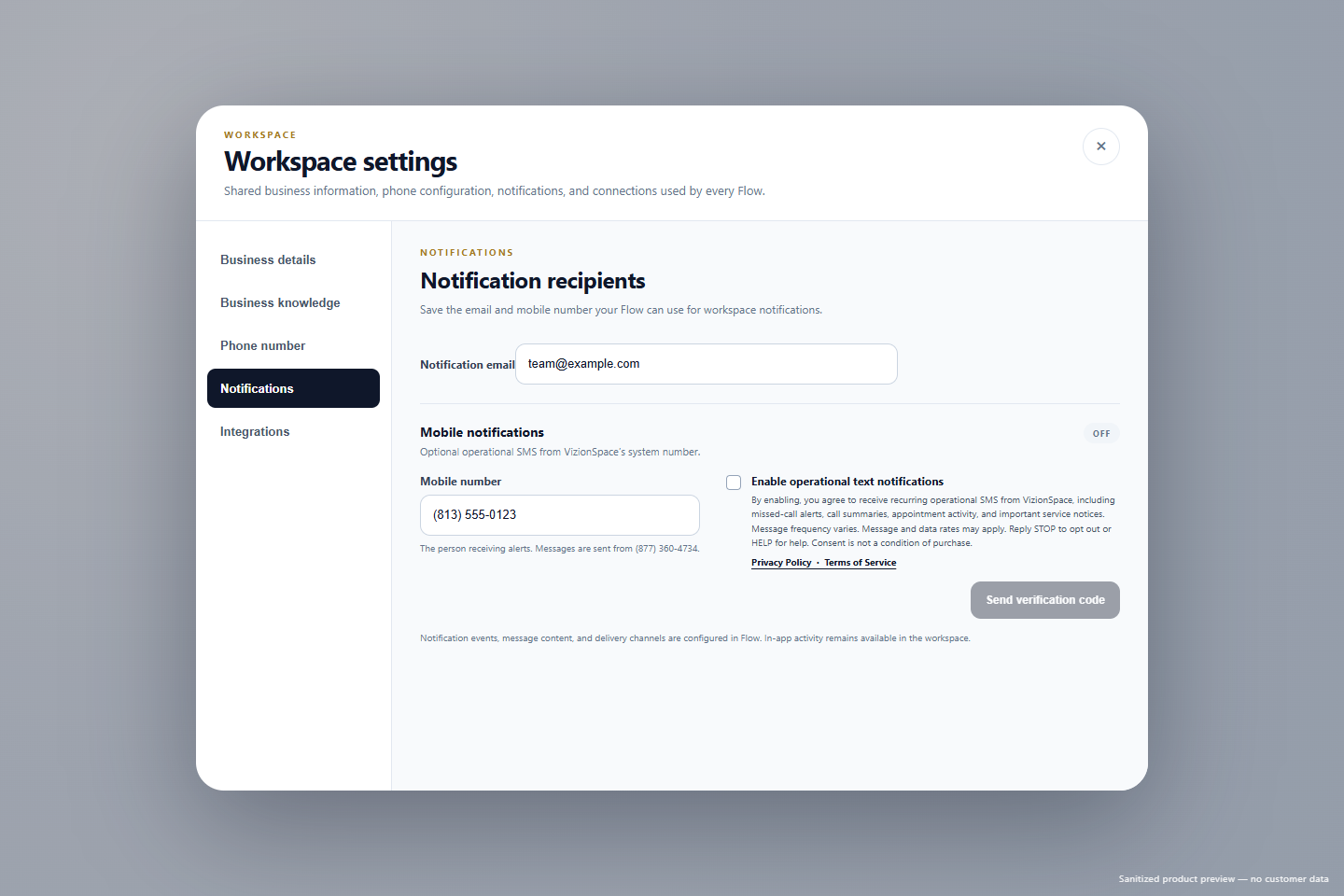
An eligible member opens General Settings, selects Notifications, chooses or adds a mobile recipient, and reviews the complete disclosure. The consent checkbox is off by default and must be selected before the preference can be saved.
The workspace records the member, mobile number, consent time, disclosure version, and any later revocation. Text delivery remains disabled while carrier verification is pending.
Keep notification previews operational and limited
Text alerts should identify VizionSpace and direct the member back to the authenticated workspace for sensitive details. Notification previews should not include caller names, caller phone numbers, transcripts, or detailed call content.
Message frequency depends on the workspace activity and the alert types the member enables. These notifications are operational, not marketing or promotional messages.
Use Settings, STOP, or HELP at any time
A member can disable text notifications from General Settings. Replying STOP also revokes consent and prevents additional operational messages unless the member later provides new express consent. Replying HELP returns support information.
Disabling SMS does not change the workspace phone number or automatically disable available app and email notifications.
Continue learning
Related guides
Put the guide into practice
Configure the assistant, run test calls, and choose when to launch.
The website trial lasts 14 days or 20 AI conversation minutes, whichever comes first. Card required.